You’ll see how contemporary artists adopt digital tools to expand what’s possible in image, sound, and interactive work. They use software, sensors, and platforms to prototype faster, collaborate remotely, and reach audiences globally, turning technical skills into new creative choices you can learn from.
As you explore the article, notice practical examples of generative art, AR experiences, digital preservation, and online distribution that show tools shaping both process and outcome. Expect clear takeaways you can apply, whether you make work, curate it, or simply want to understand how technology reshapes artistic practice.
How Contemporary Artists Use Digital Tools
Contemporary artists integrate software, hardware, and online platforms to make work, iterate quickly, and reach global audiences. They combine raster and vector tools, 3D systems, tablets, and networks to realize concepts across static, time-based, and interactive formats.
Core Digital Art Software and Hardware
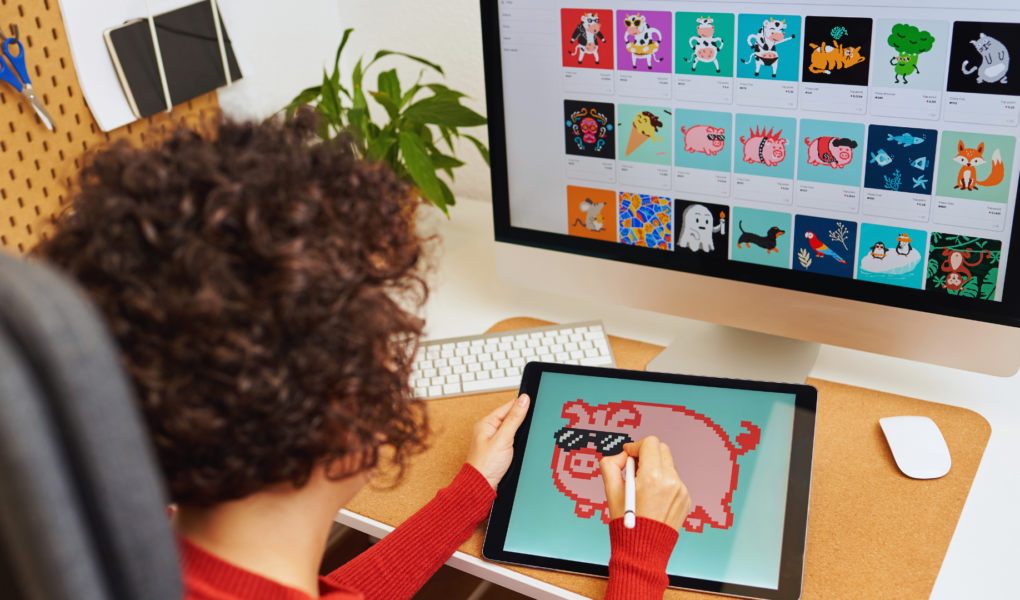
Artists rely on a mix of industry-standard and accessible programs for creation and production. Adobe Photoshop, Illustrator, and Affinity Designer handle photo manipulation, vector art, layout, and color correction. Procreate and Clip Studio Paint serve illustrators and digital painters who use custom brushes and pressure-sensitive stroke dynamics on iPad and iPad Pro.
Graphics tablets and stylus pens (Wacom, Huion) remain central for precise control; many also use touchscreen devices and stylus-capable laptops. Corel Painter targets the simulation of traditional media textures, while Inkscape and Affinity provide low-cost vector alternatives. For photographers and mixed-media artists, Lightroom and photo-editing plugins integrate into workflows.
Artists choose hardware—high-resolution displays, color-calibrated monitors, and high-RAM workstations—based on project needs. Portable drives, color printers, and scanning gear bridge digital files to prints and galleries. Budget-friendly tools like Canva democratize layout and social assets creation for exhibition promotion and online portfolios.
Digital Art Techniques and Methods
Digital artists employ layered workflows to separate linework, color, effects, and compositing, enabling non-destructive edits and rapid revisions. They create and share custom brush sets, texture libraries, and color palettes to maintain consistent visual language across pieces and series. Photo manipulation blends raster images with painted elements for surreal or hyperreal scenes.
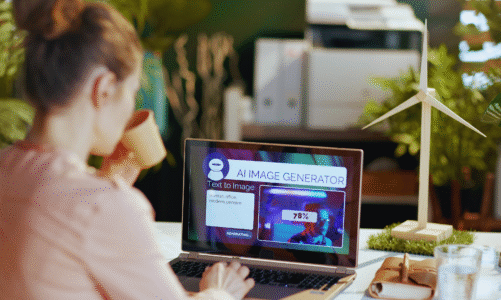
Vector techniques produce scalable logos, typography, and clean linework suitable for print or merchandise. Many artists mix raster and vector outputs to exploit both detail and scalability. AI-generated art tools act as ideation aids or texture generators; artists curate and refine AI outputs rather than rely on them blindly.
Printmaking and mixed-media practices incorporate digital negatives, giclée printing, and CNC or laser-cut elements. Collaborative workflows use cloud storage and version control to manage assets and client feedback. Skill in color management, file formats, and export settings remains essential for cross-platform fidelity and professional production.
3D Modeling, Animation, and New Media
3D software expands possibilities for form, space, and motion. Blender and ZBrush address sculpting and hard-surface modeling; Autodesk Maya and 3ds Max support animation, rigging, and production pipelines. Unity and Unreal Engine serve artists creating real-time interactive works, VR/AR experiences, and immersive installations.
Animations range from frame-by-frame sequences in Photoshop and Procreate to procedural rigs in Maya and Blender. Texture maps, PBR materials, and UV unwrapping translate 3D models into photoreal or stylized renderings. Motion capture and physics simulations add lifelike dynamics to character and environmental work.
New media artists build interactive installations combining sensors, projection mapping, and microcontrollers. AR art and WebGL-based experiences deploy 3D assets to phones and browsers. NFTs and blockchain marketplaces have provided alternate distribution and monetization channels, though artists weigh legal, environmental, and market considerations when participating.
Digital Platforms, Community, and Global Reach
Artists leverage platforms to exhibit, sell, and network. Behance, DeviantArt, and ArtStation host portfolios and attract commission requests; Instagram and Pinterest drive discovery and audience-building with visual-first feeds. Marketplaces like OpenSea and Foundation enabled early NFT sales that brought visibility to artists like Beeple (Mike Winkelmann), though the scene evolved rapidly.
Community tools—forums, Discord servers, and tutorials on YouTube—accelerate skill sharing and collaboration. Crowdsourced feedback, collaborative projects, and shared asset libraries speed iteration. Websites and print-on-demand services help artists monetize prints, merchandise, and limited editions without traditional galleries.
Platforms also shape presentation format: embedded video for animation, GLTF viewers for 3D models, and interactive web pages for generative or AR work. Metadata, licensing, and digital provenance become operational concerns as artists distribute work across global platforms.